facebook

Find the Best Online Other Tutors & Teachers for Private Lessons

For over a decade, our private Other tutors have been helping learners improve and fulfil their ambitions. With one-on-one lessons online, you’ll enjoy high-quality, personalised teaching that’s tailored to your goals, availability, and learning style.

Find Your Perfect Teacher

Browse our selection of Other tutors & teachers and use the filters to find your ideal online class

Contact Teachers for Free

Share your goals and preferences with teachers and choose the Other class that suits you best

Book Your First Lesson

Plan the schedule for your first class together. Once your teacher confirms the appointment, you're all set to start on the front foot!

1203 online other teachers

Ozan

verified teacher icon
Netherlands
C$89

60-min

/h

trusted teacher iconTrusted teacher

IB: (MYP/DP). Mathematics: for every level. Physics: for every level. Economics: for every level. Chess: for beginners and advanced players.Translate this text using Google Translate.

IB: (MYP/DP). Mathematics: for every level. Physics: for every level. Economics: for every level. Chess: for beginners and advanced players.Translate this text using Google Translate.

IB (MYP/DP) I guide students within the IB curriculum, from MYP up to and including the Diploma Programme, in mathematics, physics, and economics. In addition to subject matter, I pay specific attention to the IB assessment criteria, such as researching, structuring, and applying in realistic contexts, where many students struggle even though they understand the material themselves. Through my experience with students at international schools in Amsterdam, I know exactly where the IB approach differs from the regular system and how to align with it. Math I tutor mathematics to students who want extra support or want to improve their results. During the lessons, I explain difficult topics step by step in a clear and calm manner. We work together on understanding, exercises, and efficient solution methods so that you gain more confidence and become stronger in the subject. Physics Physics becomes much simpler when you understand the logic behind the formulas. During my lessons, you will learn not only how to apply theory and formulas, but above all how to solve problems in a structured way. We practice together with examples and exam questions so that you truly understand the material and are better prepared for tests and exams. Economy I help students clearly understand economic concepts and theories and apply them correctly. During the lessons, we work on gaining insight into themes such as supply and demand, markets, inflation, enterprises, and financial analysis. Through practical examples and exercises, economics becomes clearer and easier to apply. To play chess These chess lessons are suitable for beginners and advanced players who want to improve their level. You will learn important principles such as opening techniques, tactics, strategy, endgames, and positional awareness. During the lessons, we analyze games and practice practical situations so that you learn to play stronger and more confidently.

Julian

verified teacher icon
Colombia
C$20

60-min

/h

trusted teacher iconTrusted teacher

Illustrator for illustrators of all levelsTranslate this text using Google Translate.

Illustrator for illustrators of all levelsTranslate this text using Google Translate.

Illustrator is a great application that meets today's advertising needs. The focus of this course is carefully crafted, moving away from traditional teaching approaches in this discipline. It is essential to establish a knowledge link between color modes, the products that can be created with this application, integration with other applications, and different formats, such as the use of Excel spreadsheets to create interactive, mass-produced brochures with detailed information connected with markers. Regarding integration, we will use two sister applications of Illustrator: Photoshop and InDesign for the creation of magazines. It will be a great experience, below is the thematic content ILLUSTRATOR THEMATIC CONTENT - Introduction  Introduction to vector drawing.  Differences between a vector image and a bitmap image.  Concept of vector drawing with ILLUSTRATOR (Characteristics of a vector)  ILLUSTRATOR Vs ADOBE PHOTOSHOP  Professional-level tool utilities.  New features compared to the previous version  The work environment  The document window and workspaces  Tool palettes, panels, and control panels  Configure the workspace  Document configuration and adjustment.  Document navigation.  Rulers and grids.  Using guides and smart guides  Color modes (CMYK color management).  Image formats.  Working with PostScript.  Keyboard customization - Creating files, the layers panel, and setting up the workspace  Configure the new file for different modes  Data to take into account about pixels in the new document  Pixel grid alignment  Generate custom document template  Prepare files for large outdoor advertising  Design compositions using layers and sublayers  Layer options.  Hierarchical layer structure.  Locking/unlocking elements.  Selections with layers.  Layer colors.  Nested layers.  Moving objects in layers - Storage formats, PDF files, export formats - Operations on Images  Rasterization concept and rasterization effects settings  Coupling transparencies  Selecting unaligned objects in ILLUSTRATOR  Graphic styles applied to vectors  Bitmap-based opacity masks  Pixelated effects on vectors  Place vs. Open photos (Linked vs. Embedded objects)  Preview pixels and contour  Preview of color separations and transparencies coupling  Quality output for bitmap elements  Printing bitmap documents  Print Presets  Segmentation of large documents  Boundary marks crop marks  Overprinting strokes and fills - Work tools  Navigation tools  Hand  Impression segmentation  Zoom  Copy and paste options; duplicating objects  Selection tools.  Configure selection and keyboard preferences  Normal, direct selection and group selection  Selection of objects in front, middle and back  Typical selection tools  Magic wand  Lasso selection  Selection by attributes  Group and ungroup  Isolation modes  Resize images and angles  Transformation Tools / Repeat Transformations  Reflection and distortion  Alignment and distribution of objects  Editing paths and Bézier curves.  Pen  Add anchor point  Delete anchor point  Anchor point  Curvature  Editing and modifying paths  Join and average paths  Simplify  Attributes of a stroke  Rows and columns  Compound paths  Clipping mask  Outline and move paths  Draft  Scissors  Blade  The brush and pencil tools, shaper, and adjustments  Shaper  Pencil  Soften  Stroke eraser  Brushes and Creation  Shading effects  Pattern brush  Ink strokes  Special brushes  Shading pen  Working with symbols  Symbol sprinkler  Move symbol  Gather and separate symbol  Change symbol size  Rotate symbol  Stain symbol  Translucent symbols  Apply styles to symbols  Color tools  Fill and stroke.  The color palette.  The samples palette.  Custom color libraries.  Paint bucket and eyedropper tool.  Color modification filters.  Reasons.  Degraded  Interactive paint can  Interactive painting selection  Drawing geometric figures  Drawing vector objects and properties  Main geometric objects in ILLUSTRATOR  Rectangle  Ellipse  Polygon  Star  Flash  Arch  Spiral  Rectangular grid  Polar grid  Interactive vertices  Shape Builder Tool  Sector and perspective tools  Sector  Select sector  Perspective grid  Perspective selection  Working with text  Draw text with color and outline; font style  Creating text boxes.  Create text outline  Custom text paths.  The text editor.  Flow text.  Mask text.  Use of text and brushes.  Flattened text.  Text  Area text  Text in path  Vertical text  Vertical area text  Vertical text on path  Retouch text  Modification Tools.  Rotate  Reflect  Climb  Distort  Reform  Width  Deform  Windlass  Pucker  Gain weight  Scallop  Crystallize  Wrinkle  Free transformation  Merger - Effects and Expand  Expand and Expand Appearance  From ILLUSTRATOR  3d  Path effects (Pathfinder)  Form conversion  Stylization  Applying filters  Clipping mask  From Photoshop - Mesh management, merges and gradients  Handling rounded meshes.  Advanced mesh management.  Mergers.  Working with mergers: expand, invert, and drop.  Gradients and gradient meshes.  Merger examiner.  Shadows of mergers.  Unified gradients. - Transparency and Appearance  Handling transparencies.  Opacity masks and coverage controls.  The Appearance palette.  Transparent colors.  Basic flashes.  Opacity masks. - Review of pre-print features  What should be done to design very large advertising works?  Prepare folder for sending to the contracted printer  Export as PDF.

play iconVideo

Yashar

verified teacher icon
Luxembourg
C$69

60-min

/h

trusted teacher iconTrusted teacher

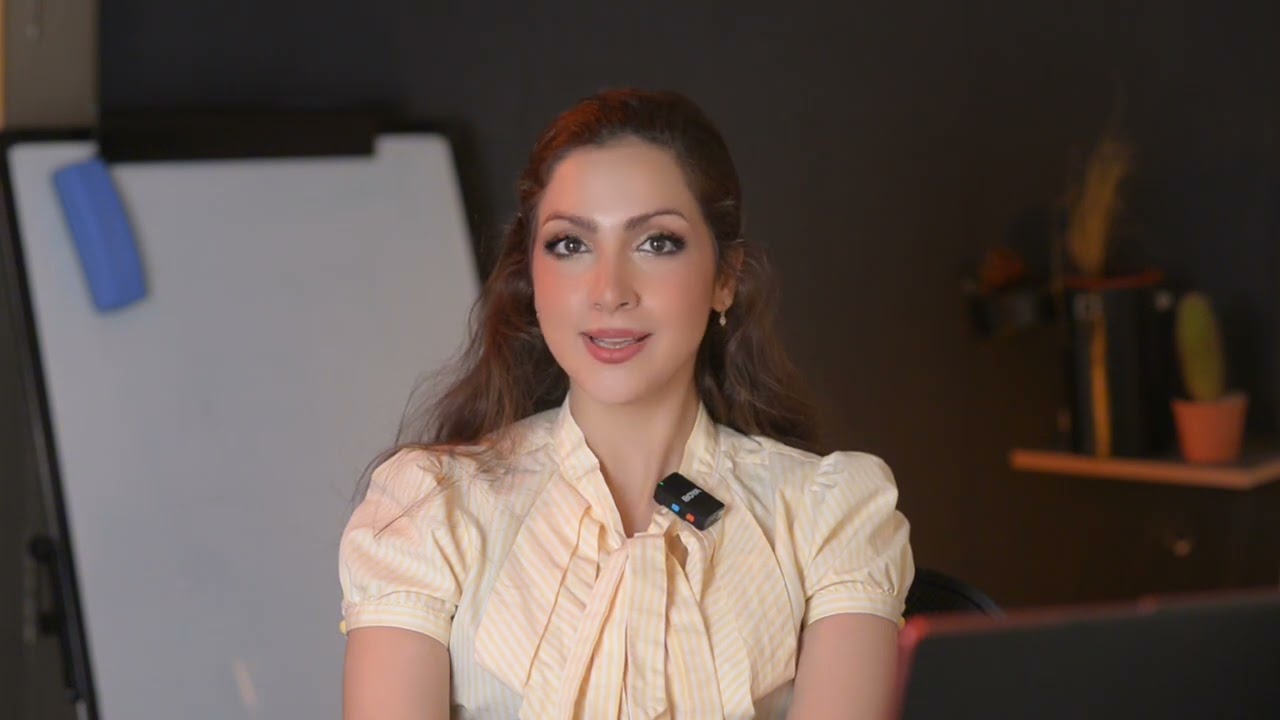
Comprehensive Chess Lessons with a FIDE-Certified CoachTranslate this text using Google Translate.

Comprehensive Chess Lessons with a FIDE-Certified CoachTranslate this text using Google Translate.

Hello! I'm Yashar, currently pursuing a Master's in Data Science at the top university in Luxembourg,I'm also a FIDE-certified chess instructor with over 12 years of playing experience and a passion for teaching. I have represented the Iran national team in the Asian National Chess Cup Blitz Champion section (2018) and secured second place in the international 2E Coupe De Bertrange (2023). As a seasoned player with numerous international tournament awards, I bring a wealth of knowledge and expertise to my students. My teaching methodology focuses on three main aspects of the game: openings, middlegame, and endgames. Utilizing powerful software 'ChessBase', I provide in-depth analyses and personalized strategies tailored to each student's needs. My prefer is improving intermediate players, helping them refine their skills and advance to the next level. I have collaborated with various chess schools in Iran for over 3 years and currently instruct at the Luxembourg Chess Club since2023. With a strong track record of coaching professional players and a deep understanding of competitive play, I am well-equipped to guide you on your chess journey. Join my class and let's work together to enhance your chess skills. Whether you're preparing for tournaments or looking to master the game, I'm here to help you every step of the way. You can reach out to me anytime for guidance and support! My classes are based on the Google Meet and Zoom platforms and playing chess with my students. Whether you are a beginner or an experienced player, I am here to guide you on your Chess journey. Don't hesitate to be in touch with me outside of our class to improve yourself! you will never walk alone during your tournament competitions. It's my honor to improve you:) Lichess Rating: +2700 Chess.com Rating:+2600

Video thumbnail
Play icon
Yashar's video
PreviousShowing results 201 - 225 of 1203201 - 225 of 1203Next

Our students evaluate their Other teacher.

To ensure the quality of our Other teachers, we ask our students to review them.

Only reviews of students are published and they are guaranteed by Apprentus. Rated 4.8 out of 5 based on 57 reviews.

“ I need to re-study 4 years of high school maths in only 5 months. Mahmood agreed to help me with this difficult task and thanks to his professional way of teaching I believe I can make this happen. He explains topics in detail and yet quickly enough to spare time for other topics. If you are unsure he points you to the right direction. Most important thing for me was that he made me realize that I first need to master concept #1 in order to be able to later master concept #5 and so on. You can see that he has a lot of teaching experience, he tries to understand the way YOU think and based on that he serves you clear explanation for topics you struggle to understand. I definitely recommend him as your next teacher! ”

“ I had my first Italian lesson with Davide on 24/9/21. My first impression was very good because he does a very good assessment before he starts of your level and of your goals and based on that he adopts his learning approach perfectly yo your needs. I give Davide a 5 rating after one lesson and would be very surprised if my view of him will change. On top of his ability as a teacher, he is a very nice and modest person. He knows how to drive a conversation and seems have a lot of patience! Looking forward to the next lesson! ”

“ Michael is an excellent chess teacher, I couldn't recommend him more! I've just had one lesson so far but hope to do more. He was extremely patient (I was really slow) and explained everything very clearly. He speaks perfect English and seems passionate about chess, as well as knowledgeable, so don't hesitate, choose Micheal :) ”

To ensure the quality of our Other teachers, we ask our students to review them.

Only reviews of students are published and they are guaranteed by Apprentus. Rated 4.8 out of 5 based on 57 reviews.

Map
Map