facebook

Find the Best Online Graphic Design Tutors & Teachers for Private Lessons

For over a decade, our private Graphic Design tutors have been helping learners improve and fulfil their ambitions. With one-on-one lessons online, you’ll enjoy high-quality, personalised teaching that’s tailored to your goals, availability, and learning style.

Find Your Perfect Teacher

Browse our selection of Graphic Design tutors & teachers and use the filters to find your ideal online class

Contact Teachers for Free

Share your goals and preferences with teachers and choose the Graphic Design class that suits you best

Book Your First Lesson

Plan the schedule for your first class together. Once your teacher confirms the appointment, you're all set to start on the front foot!

300 online graphic design teachers

play iconVideo

Pardeep

verified teacher icon
United Kingdom
C$80

60-min

/h

trusted teacher iconTrusted teacher

"Photoshop Mastery: Unleashing Your Creative Potential"Translate this text using Google Translate.

"Photoshop Mastery: Unleashing Your Creative Potential"Translate this text using Google Translate.

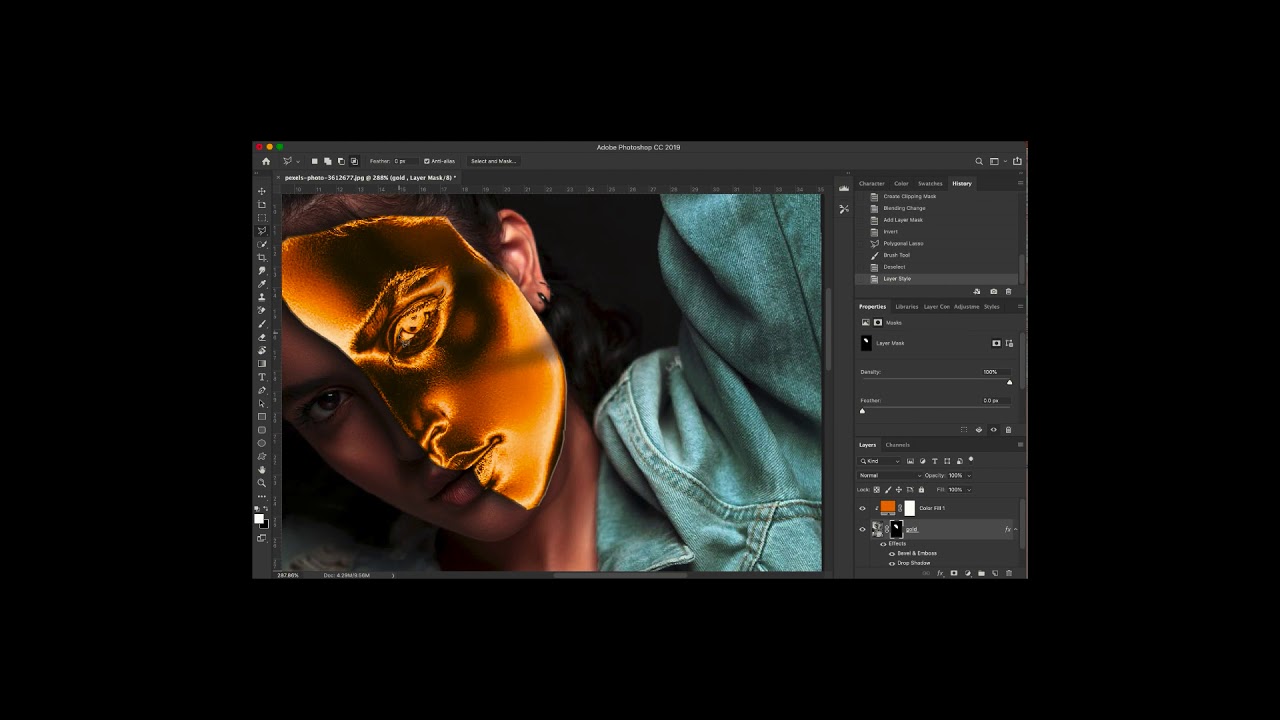
Unlock the full potential of Adobe Photoshop with our comprehensive course designed for beginners and intermediate users alike. Whether you're a photographer, graphic designer, or just someone eager to enhance your digital skills, this course is your gateway to becoming a Photoshop pro. What You'll Learn: Introduction to Photoshop: Navigate the Photoshop workspace with confidence. Master essential tools and features for efficient editing. Image Editing Fundamentals: Learn professional photo editing techniques. Enhance color, contrast, and sharpness for stunning visuals. Layer Mastery: Understand the power of layers for non-destructive editing. Create complex designs with ease using layer styles and blending modes. Digital Manipulation: Explore advanced retouching techniques. Transform ordinary images into extraordinary works of art. Text and Typography: Design eye-catching text and typography for various projects. Utilize filters and effects to make text elements pop. Graphics and Illustrations: Create custom graphics and illustrations from scratch. Master the pen tool for precise and scalable designs. Automation and Workflow Optimization: Save time with automation tools and batch processing. Streamline your workflow for efficiency and productivity. Why Choose Our Course: Hands-On Projects: Apply your skills with real-world projects and build a professional portfolio. Expert Guidance: Learn from industry professionals with years of Photoshop experience. Interactive Learning: Engage in discussions, Q&A sessions, and peer feedback for a dynamic learning experience. Lifetime Access: Get access to course materials and updates for a lifetime. Who Is This Course For: Photographers Graphic Designers Digital Artists Content Creators Anyone seeking to enhance their Photoshop skills Join us on this exciting journey to unlock the full potential of Photoshop. Enroll now and transform your creative vision into reality!

Video thumbnail
Play icon
Pardeep's video

Julian

verified teacher icon
Colombia
C$20

60-min

/h

trusted teacher iconTrusted teacher

Illustrator for illustrators of all levelsTranslate this text using Google Translate.

Illustrator for illustrators of all levelsTranslate this text using Google Translate.

Illustrator is a great application that meets today's advertising needs. The focus of this course is carefully crafted, moving away from traditional teaching approaches in this discipline. It is essential to establish a knowledge link between color modes, the products that can be created with this application, integration with other applications, and different formats, such as the use of Excel spreadsheets to create interactive, mass-produced brochures with detailed information connected with markers. Regarding integration, we will use two sister applications of Illustrator: Photoshop and InDesign for the creation of magazines. It will be a great experience, below is the thematic content ILLUSTRATOR THEMATIC CONTENT - Introduction  Introduction to vector drawing.  Differences between a vector image and a bitmap image.  Concept of vector drawing with ILLUSTRATOR (Characteristics of a vector)  ILLUSTRATOR Vs ADOBE PHOTOSHOP  Professional-level tool utilities.  New features compared to the previous version  The work environment  The document window and workspaces  Tool palettes, panels, and control panels  Configure the workspace  Document configuration and adjustment.  Document navigation.  Rulers and grids.  Using guides and smart guides  Color modes (CMYK color management).  Image formats.  Working with PostScript.  Keyboard customization - Creating files, the layers panel, and setting up the workspace  Configure the new file for different modes  Data to take into account about pixels in the new document  Pixel grid alignment  Generate custom document template  Prepare files for large outdoor advertising  Design compositions using layers and sublayers  Layer options.  Hierarchical layer structure.  Locking/unlocking elements.  Selections with layers.  Layer colors.  Nested layers.  Moving objects in layers - Storage formats, PDF files, export formats - Operations on Images  Rasterization concept and rasterization effects settings  Coupling transparencies  Selecting unaligned objects in ILLUSTRATOR  Graphic styles applied to vectors  Bitmap-based opacity masks  Pixelated effects on vectors  Place vs. Open photos (Linked vs. Embedded objects)  Preview pixels and contour  Preview of color separations and transparencies coupling  Quality output for bitmap elements  Printing bitmap documents  Print Presets  Segmentation of large documents  Boundary marks crop marks  Overprinting strokes and fills - Work tools  Navigation tools  Hand  Impression segmentation  Zoom  Copy and paste options; duplicating objects  Selection tools.  Configure selection and keyboard preferences  Normal, direct selection and group selection  Selection of objects in front, middle and back  Typical selection tools  Magic wand  Lasso selection  Selection by attributes  Group and ungroup  Isolation modes  Resize images and angles  Transformation Tools / Repeat Transformations  Reflection and distortion  Alignment and distribution of objects  Editing paths and Bézier curves.  Pen  Add anchor point  Delete anchor point  Anchor point  Curvature  Editing and modifying paths  Join and average paths  Simplify  Attributes of a stroke  Rows and columns  Compound paths  Clipping mask  Outline and move paths  Draft  Scissors  Blade  The brush and pencil tools, shaper, and adjustments  Shaper  Pencil  Soften  Stroke eraser  Brushes and Creation  Shading effects  Pattern brush  Ink strokes  Special brushes  Shading pen  Working with symbols  Symbol sprinkler  Move symbol  Gather and separate symbol  Change symbol size  Rotate symbol  Stain symbol  Translucent symbols  Apply styles to symbols  Color tools  Fill and stroke.  The color palette.  The samples palette.  Custom color libraries.  Paint bucket and eyedropper tool.  Color modification filters.  Reasons.  Degraded  Interactive paint can  Interactive painting selection  Drawing geometric figures  Drawing vector objects and properties  Main geometric objects in ILLUSTRATOR  Rectangle  Ellipse  Polygon  Star  Flash  Arch  Spiral  Rectangular grid  Polar grid  Interactive vertices  Shape Builder Tool  Sector and perspective tools  Sector  Select sector  Perspective grid  Perspective selection  Working with text  Draw text with color and outline; font style  Creating text boxes.  Create text outline  Custom text paths.  The text editor.  Flow text.  Mask text.  Use of text and brushes.  Flattened text.  Text  Area text  Text in path  Vertical text  Vertical area text  Vertical text on path  Retouch text  Modification Tools.  Rotate  Reflect  Climb  Distort  Reform  Width  Deform  Windlass  Pucker  Gain weight  Scallop  Crystallize  Wrinkle  Free transformation  Merger - Effects and Expand  Expand and Expand Appearance  From ILLUSTRATOR  3d  Path effects (Pathfinder)  Form conversion  Stylization  Applying filters  Clipping mask  From Photoshop - Mesh management, merges and gradients  Handling rounded meshes.  Advanced mesh management.  Mergers.  Working with mergers: expand, invert, and drop.  Gradients and gradient meshes.  Merger examiner.  Shadows of mergers.  Unified gradients. - Transparency and Appearance  Handling transparencies.  Opacity masks and coverage controls.  The Appearance palette.  Transparent colors.  Basic flashes.  Opacity masks. - Review of pre-print features  What should be done to design very large advertising works?  Prepare folder for sending to the contracted printer  Export as PDF.

Katia

France
C$80

60-min

/h

trusted teacher iconTrusted teacher

Mentoring architecture students – Project workshop, design and oral presentation (Bachelor's to Master's level)Translate this text using Google Translate.

Mentoring architecture students – Project workshop, design and oral presentation (Bachelor's to Master's level)Translate this text using Google Translate.

Courses designed for architecture students from Bachelor's to Master's level, offering comprehensive support to develop practical, theoretical and professional skills. The program covers several essential aspects: 1_Project and Design Workshop - Personalized monitoring of architectural and urban planning projects - Assistance with the conception, design and creation of models - Tips for organizing and presenting ideas 2_Speaking and oral presentation: - Preparation for project presentations - Techniques for structuring a clear and convincing speech - Mock defenses and constructive feedback 3_Theoretical lectures and tutorials (TD) - History of architecture and contemporary movements - Study of materials, structures and urban planning 4_Professional Software and Tools - AutoCAD, Archicad, SketchUp, Photoshop, InDesign - Creation of storyboards, renderings and digital mock-ups 5_Methodology: Interactive sessions online or in person, depending on the needs Possible combination of theoretical courses, practical workshops and project monitoring Personalized feedback on each project or exercise This course allows you to develop creativity, structure ideas and succeed in architectural projects and presentations, while mastering essential professional tools.

Dimitri

verified teacher icon
Cameroon
5.0

2 reviews

(2)

C$13

60-min

/h

trusted teacher iconTrusted teacher

Master Canva – Create Professional Designs & Videos Without Technical SkillsTranslate this text using Google Translate.

Master Canva – Create Professional Designs & Videos Without Technical SkillsTranslate this text using Google Translate.

Want to create impactful visuals and professional videos without using complex software? This comprehensive Canva course is for you! 🔹 Course objective: To teach you how to easily design dynamic visuals and videos for your personal, professional, or school projects, using the Canva tool, accessible to all. ✅ What you will learn: Graphic design: - Getting started with the Canva interface (free or Pro version) - Creation of visuals: social media publications, flyers, logos, CVs, posters, presentations, etc. - Mastery of models, typography, colors, effects, layers and backgrounds - Design of brand kits for consistent communication - Layout tips for a professional look Video editing on Canva: - Create videos from templates or from scratch - Adding and editing video clips, images, animations and effects - Integration of music, voice-over and subtitles - Using the timeline, cutting, transitions and rhythm - High quality export for YouTube, Instagram, TikTok, etc. 🧑‍🎓 This course is ideal for: - Content creators, community managers, self-employed - Students, teachers, trainers - Freelancers and small businesses - Anyone who wants to easily produce quality visual and video content 🛠️ Methodology: Interactive and 100% practical training. Each participant creates their own visuals and videos from the very first sessions. The program can be adapted to your goals. 📍 Format: Online or in person (to be agreed) ⏱️ Duration: Flexible according to your needs (beginner or advanced) 💬 Language: French 🚀 Create your own visuals and videos with Canva – no complicated software, no hassle. Join this course and develop your creative superpowers!

Younes

verified teacher icon
Morocco
5.0

3 reviews

(3)

C$18

60-min

/h

trusted teacher iconTrusted teacher

Training and Supervision of TIPE CPGE - Common theme for MP, PSI and TSI sectors: Games, sports.Translate this text using Google Translate.

Training and Supervision of TIPE CPGE - Common theme for MP, PSI and TSI sectors: Games, sports.Translate this text using Google Translate.

Are you a student in preparatory classes (CPGE) and are you preparing your Supervised Personal Initiative Work (TIPE) on the theme: "Games, Sports" common to the MP, PSI and TSI sectors? Join my specialized training and supervision to stand out in this academic project. Why Choose My Training? Benefit from my supervision as an engineering student with in-depth knowledge of the theme “Games, Sports”. As a former CPGE student, I have successfully supported many students in the choice, development and complete preparation of their TIPE subject, from theoretical study to experiment and numerical simulation (MATLAB, COMSOL , ANSYS, CATIA, SolidWorks, etc.). Personalized Approach: Each student is unique. My coaching adapts to your skills, your levels, your interests and your objectives, in order to maximize your potential. 🤝 Continuous Support: From start to finish of your project, benefit from unlimited email support between sessions to answer all your questions to overcome your obstacles. 🏆 TIPE Complete Supervision Program: The support I offer includes the following elements: - Choice of the subject - Scientific documentation - Development of the problem, motivation, inking, MCOT, DOT - Theoretical portion - Experiment or Simulations - Realize the added value - Assistance in producing the final presentation (Structuring, aesthetics, content, etc.) - Preparation for the oral test You have the flexibility to: 1) choose the level of support that suits you, whether it is specific training on one of the aspects mentioned above or 2) complete support throughout your project. NB: regarding preparation for the oral test, we will work together on structuring your presentation, anticipating possible questions from the jury and strengthening your oral communication skills. This targeted preparation will give you the confidence to excel not only in completing your TIPE, but also when presenting it to the jury.

Nathalia

verified teacher icon
France
4.8

6 reviews

(6)

C$100

60-min

/h

trusted teacher iconTrusted teacher

Individual lesson Drawing Painting. Audit Fréjus-Saint-Raphael-Cannes-ToulonTranslate this text using Google Translate.

Individual lesson Drawing Painting. Audit Fréjus-Saint-Raphael-Cannes-ToulonTranslate this text using Google Translate.

Drawing and painting lessons given by an experienced professional painter, a graduate of the École Nationale Supérieure des Arts Décoratifs in Paris, in practice for over 25 years and affiliated with the Maison des Artistes. I propose you: A. GROUP lessons at my artist studio 1. Group lessons of 6-8 people at my artist studio. Note: The prices indicated "at the teacher's house and webcam" concern group lessons and not individual lessons. B. PRIVATE lessons at your home or during an event, birthday, etc. (see the price indicated “at the student’s” return travel included). Among these proposals: 1. Drawing and painting lessons at the location of your choice. 2. Creation workshops for children or adults: collage, origami, applied arts, plastic arts, decoration. 3. Audit and advice: composition and preparation of the file for art schools, DNMADE (national diploma in crafts and design). 4. Intensive preparation for entrance exams to Art Schools. C. INDIVIDUAL lessons at home, at my artist studio or via online webcam 1. Drawing and painting lessons, technique of your choice. 2. Creation workshop: collage, origami, applied arts. 3. Audit and advice: assessment of your level, composition of the file, preparation for the DNMADE competition (national diploma in crafts and design) and Art Schools. I teach you: • The basics of classic drawing: construction, composition, volume, tones, contrasts. • Graphite, charcoal, pastels techniques. • The basics of figurative and realistic painting: color mixtures, approach technique. • Oil, acrylic, watercolor techniques. • The basics of composition and layout. Beginners accepted. Course duration: Collectives: • Online: 1h45 + correction of your creations by e-mail (2h are billed) • At the workshop: 2 hours Individuals: • Online: 2 hours, correction included • At my workshop: minimum 1h30 • At home: minimum 2 hours

PreviousShowing results 26 - 50 of 30026 - 50 of 300Next

Our students evaluate their Graphic Design teacher.

To ensure the quality of our Graphic Design teachers, we ask our students to review them.

Only reviews of students are published and they are guaranteed by Apprentus. Rated 4.8 out of 5 based on 27 reviews.

My daughter (K.) had her first lesson with Smaranda today and she enjoyed it every much. Smaranda asked questions to understand K.'s preferences and interests so that she can tailor the class accordingly, which also made for a highly enjoyable class. Smaranda took the time to explain things at first and then let K. explore the assignment at her pace. She shared tips and tricks that K. found very useful. All in all a great first lesson, and K. is very much looking forward to the next one.

First two hours done with Martin. It was a chill environment and he is someone easy to interact with and you can feel he have experience giving lessons. I learned what was the purpose of this introduction to blender and the lesson was custom to my needs. We have planned another one and so should you, as he is a good teacher take time to listen to your needs and assess what should help you in your learning.

A very kind and patient teacher who listens to queries and helps resolve them quickly and efficiently. Professional manner and overall excellent experience. I 100% recommend Rocio.

To ensure the quality of our Graphic Design teachers, we ask our students to review them.

Only reviews of students are published and they are guaranteed by Apprentus. Rated 4.8 out of 5 based on 27 reviews.

Map
Map