facebook
favorite button
super instructor icon
Trusted teacher
This teacher has a fast response time and rate, demonstrating a high quality of service to their students.
member since icon
Since September 2023
Instructor since September 2023
Translated by GoogleSee original
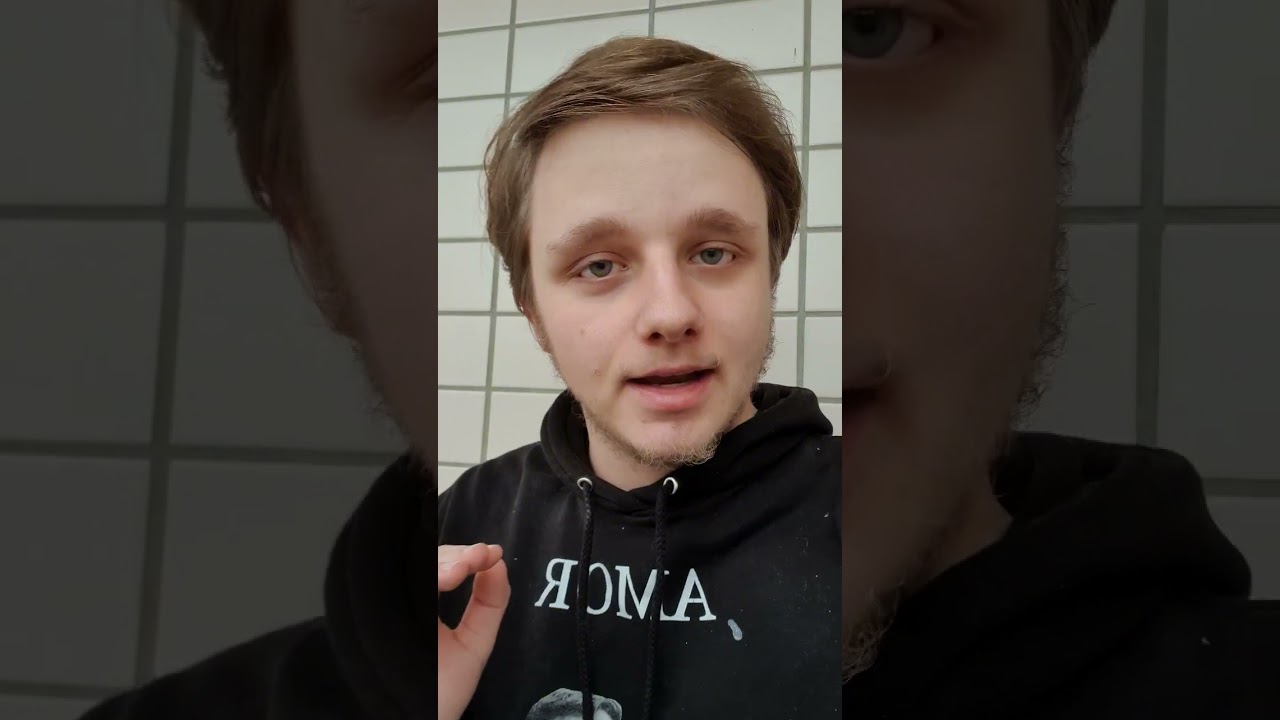
Edit YouTube / TikTok Videos For Beginners! 😁🎥 ENG & NED
course price icon
From 43.32 C$ /h
arrow icon
Join this class to unlock the secrets of captivating video editing in Premiere Pro or CapCut! Whether you opt for the paid version of Premiere Pro or the free and user-friendly CapCut, you'll learn the essential techniques to elevate your video content. From mastering transitions to enhancing visual effects, this class provides step-by-step guidance to help you create professional-looking videos that captivate your audience. 🎬

Language:
English and Dutch 🌐

Key Points:

Mastering video editing in Premiere Pro or CapCut 🎥
Utilizing advanced features and tools for seamless editing 🛠️
Understanding editing principles for engaging content 📝
Enhancing video quality through effective editing techniques 💡
Elevating your video content to the next level 🌟

Join this class to unleash your creativity and take your video editing skills to new heights! 🔑
Extra information
Have a computer or laptop. Premiere Pro is a little heavier, but CapCut is website based and they have an awesome app.
Location
location type icon
Online from Netherlands
About Me
I love helping people in life, supporting them and making sure everyone walks away happy. My goal with this website is to make sure someone walks away with speaking my beautiful and difficult language: Dutch and some extra information about our gorgeous tulip fielded country. 🇳🇱🌷
Education
I have completed the education MBO 4 in The Netherlands and the level for this book was 3F. My teachers tell me I am very good and making stories and helping people in the class. 📚
Experience / Qualifications
I have worked several times in a Call Center in The Netherlands and I have many people were I didn't completely speak the language of into fixing their problems. 📞🗣
Age
Infants (0-3 years old)
Preschool children (4-6 years old)
Children (7-12 years old)
Teenagers (13-17 years old)
Adults (18-64 years old)
Seniors (65+ years old)
Student level
Beginner
Intermediate
Advanced
Duration
30 minutes
45 minutes
60 minutes
90 minutes
120 minutes
The class is taught in
Dutch
English
Reviews
Availability of a typical week
(GMT -05:00)
New York
at teacher icon
Online via webcam
Mon
Tue
Wed
Thu
Fri
Sat
Sun
00-04
04-08
08-12
12-16
16-20
20-24
Join this class to master the art of computer troubleshooting! Whether you're a beginner or have some experience, this class is designed to equip you with the skills needed to diagnose and fix various computer problems. From hardware issues to software glitches, you'll learn step-by-step techniques to identify and resolve common issues that users encounter. With practical demonstrations and hands-on exercises, you'll gain confidence in troubleshooting and problem-solving, empowering you to tackle computer problems with ease. Don't let technical issues hold you back – enroll now and become a proficient computer troubleshooter! 💻🔧
Read more
In this class, you will learn how to create eye-catching thumbnails for your YouTube videos. Whether you prefer using Photoshop or the free and user-friendly Canva platform, I've got you covered! With step-by-step guidance, you'll master the art of thumbnail design to attract viewers and increase engagement. 🚀

Language:
English and Dutch 🌐

Key Points:

Creating visually appealing thumbnails 🖼️
Utilizing Photoshop or Canva 🎨
Design principles for YouTube thumbnails ✏️
Optimizing thumbnails for viewer engagement 💡
Enhancing video visibility through effective thumbnail design 🌟

Join this class to unlock the secrets of captivating thumbnail creation and take your YouTube channel to the next level! 🔑
Read more
Show more
arrow icon
Similar classes
arrow icon previousarrow icon next
verified badge
Learn how to edit your videos with Adobe Premiere

Whatever your level, I adapt my lessons to your level and make sure you evolve without skipping the steps. Having a long experience in filming, editing and post-production, I can also show you tips to improve your footage while recording your clips.

Having notions of Audio Mixing, I can also help you improve the quality of your sound recordings.

- The NLE and its graphical interface and basic tools
- The types of files and their characteristics, their use in a workflow adapted to the capacities of the hardware
- Non-linear editing, transitions, merger mode
- The title in premiere
- The integration of After Effects in Premiere
- The different types of rendering and optimization of files according to their use (Broadcast, Web and reassembly)
- Colorimetry with Premiere Pro and / or Color Finesse plugins, calibrate your screen
- Sound and mixing directly in Premiere Pro
- etc
verified badge
Most kids think coding is for "smart kids" or "future programmers."
It's not. Coding is how real people solve real problems.
In this class, we skip the theory. Your child creates real things.

What they'll do:
✓ Build real projects in Scratch: a working game, an interactive animation, a story they coded
✓ Program virtual robots: solve real-world challenges (navigate a maze, automate a task, build a system)
✓ Create in Minecraft Education: design worlds, automate constructions, solve logic problems
✓ Experiment with different languages: not just learn "the right way," but understand that there are many ways to think about a problem
✓ Collaborate and share: work with other kids, get feedback, improve their work
✓ Develop logical thinking: not just for coding, but for anything: solving math problems, science challenges, real-world situations


Why this is different:
We don't teach syntax. We teach how programmers think.
Most children's coding courses say "here's the code, copy it." We teach "what problem are we trying to solve? How could we break it into steps? What options do we have?"
When your child learns to think like a programmer, they can learn any language afterward.

What they take home:
A portfolio of 3–4 completed, working projects. The ability to say "I built this." And the deep understanding that code is a tool to make real things happen.

Format: Online or Barcelona | 60–90 min sessions | Flexible pace, no prior experience needed
For curious 8-12 year olds who want to build.
verified badge
Get impactful and professional PowerPoint presentations for your personal or professional needs. I create visually appealing slideshows with a neat layout, captivating graphics, and well-structured content. Whether for meetings, conferences, or projects, my presentations will help you communicate effectively and captivate your audience.
verified badge
How to prepare for a media interview? What means should be used to fight his fear of the camera and improve his image? How to present yourself and your project in front of a camera?

How to present yourself and your project to the media?

Targeted content according to your project: Verbal and / or gestural communication; Seduction of the lens and / or microphone; Improvisation in front of a microphone and / or a camera; Voice & gaze; Games of one or two cameras; Chronic; Animation; Reportage; Direct radio & TV; Interview; Narration; Speech in all its forms (...)

In short, several objectives:
◾ Confront your shyness in front of the microphone / camera.
◾ Understand his speech and his diction.
◾ Taming the media environment (radio / tv).
◾ Familiarize yourself with your image and voice.
◾ Manage your speaking time.

Through exercises (diction, voice, presence, breathing, presentations, time management, etc.), role plays, interview simulations and familiarization with one's image and voice, the participants move at their own pace in a flexible educational framework.

Note that during the videoconference session, all the notes are transcribed in the chat so that you can access them at any time when you wish.

Indeed, speaking is a predominantly physical activity, which, while taking care of its image, is based on a body, a voice, a breath, a rhythm (diction) and an emotion (the imagination and the sensations ) reflecting the speaker's involvement in his speech. How to send a clear message? How to make the difference, to make an impression?

Knowing how to speak, act and interact in public is almost a necessity today: your public speaking must be effective and efficient with clear, simple and powerful messages.

Simple and pragmatic tools will be presented for: generating listening ● making an impression ● fostering confidence ● generating need ● motivating teams by explaining a strategy ● getting messages across within groups ● overcoming shyness by assimilating 3 CRV axes (body-breathing-voice) ● better manage disagreement or conflict.

Mastered, the method allows:
• improve self-confidence and stress management with the development of the speaker's fluency (verbal-bodily), his public speaking and his sense of repartee and improvisation.
• to work on their ease, leadership, charisma, creativity and personal development through scenarios.
* improve the characteristics of the spoken voice (timbre, pitches, intention, flow).
* get your message across through your image, while gaining improvisation skills and responsiveness.

Supplemented by basic exercises (diction, voice, presence, breathing, presentation, time management), role plays, improvisations and simulations. With the key word: pronunciation, diction / articulation, the sense of repartee.

Statistically, the progression following these private sessions is quickly noticeable, from 2 sessions. ( study 2020).


Trained in Grande Ecole post-preparatory classes & Ivy League university in the United States, specialized and has worked for more than 15 years, in Europe and North America, in the field of communication and public speaking, in renowned international public and private establishments, intervening in forums and conferences, and oriented on pedagogy and careful methodology.

- Locations: Geneva - Lausanne - Friborg - Neuchâtel - Montreux - Basel - Sion - Sierre - Morges - Bienne. But currently and until further notice, only by videoconference in accordance with national recommendations on Covid.

These sessions also seem to be perfectly unanimous since they have the advantages of live (example: quality of the interaction), without its disadvantages (example: loss of travel time), with additional advantages (example: of notes on the chat, which can be reread afterwards). In this context, these videoconference sessions for which you have requested me, seem to suit everyone perfectly, take place in a very optimal way and generate a certain enthusiasm (and a certain enthusiasm). That is why, at your request, I continue to offer this option. Take good care of yourself and yours!

PROGRAM
À la carte program: evaluated and adapted to each need.
verified badge
Having trouble understanding how social media works? Do you need to highlight your business, your creations, your travels on social networks?
I am a social media expert and I can support you in your launch.
If you've already started, congratulations! I'm here to help you find direction, strategize and take your social media to the next level.
Social networks are now an integral part of our daily lives and all companies, brands and others must be up to date to perform. I would be happy to help you in this process and teach you how to succeed in this digital world where everything is possible.
verified badge
In this course, you will learn how to scan any object using Reality Capture software. This efficient and powerful software was first used for the preservation of archaeological objects and historical monuments, but is now used for video games, VFX and virtual reality, as it offers tools and results of a impressive quality, all in an easy-to-use interface.

In this course, you will be able to learn:
-How does photogrammetry work?
-How to take suitable photos
-How to prepare these photos for their use in the software
-How to use these photos to reconstruct an object in 3D and apply a realistic texture to it
-How to optimize scans for custom use (games, movies, etc.)

Gradually, we will solidify these skills to learn how to build a library of highly realistic objects based on high resolution scans.

It is also possible to present your projects to me and to obtain personalized help on them.
verified badge
Engineering drawings are used to communicate design ideas and technical information to engineers and other professionals throughout the design process. An engineering drawing represents a complex three-dimensional object on a two-dimensional piece of paper or computer screen by a process called projection.
verified badge
🌟 Course for Beginners - Discover the Secrets of Adobe Photoshop! 🌟

Have you always wanted to master Adobe Photoshop, but the features seem intimidating? Do not worry anymore! I offer courses specially designed for beginners, to guide you step by step into the fascinating world of Photoshop.

🖌️ What you will learn:

The essential basics of the Photoshop interface.
Image editing tools to improve your photos.
Creating simple and impactful designs.
🗓️ Flexible hours:
Choose sessions that fit your busy schedule.

🎓 Experienced Trainer:
Benefit from the expertise of an experienced trainer who will guide you through each step, allowing you to unleash your creativity.
verified badge
In the era of artificial intelligence, it has become necessary to learn professional design programs to become a professional designer who cannot replace you

This is what I offer you in this

I am Lubna. I work in the field of graphic design and have work experience of more than 5 years. I have trained and held seminars on design.
However, I am studying marketing for online business students

I worked with companies, individuals, and clients

My motto is “Do not design, but find a solution.”


I will provide you with an explanation of all the tools - techniques - and applications to actual projects - and answers to all your questions.....

You will have a graduation project at the end of the lectures, and this will be your success in mastering the program

Explanation in Arabic

Let's defeat aı and be professional designers
verified badge
Drawing is a fun activity. It's very interesting to see how the lines take shape as you draw them, and it's also satisfying when you take the finished drawing home.

This workshop is aimed at people of all ages, from children to adults who love to draw and want to learn tricks and tips for drawing.

You can bring anything you like and would like to draw, whether it's a manga, a photograph, or even the actual object if you can bring it with you. If you don't have anything in particular, we'll look at the materials I've prepared together and I'll give you tips on how to draw!

You can draw on paper with a pencil or marker, or if you have a tablet, that's fine too.
verified badge
Unleash your creativity with Adobe Illustrator!
In this hands-on graphic design course, you'll learn essential design techniques, including logo development, creating eye-catching flyers and cards, as well as preparing files for professional printing.
Perfect for beginners and aspiring designers, this course will equip you with the skills to bring your ideas to life with precision and style.
We can design something together from the ground up, or you can bring an existing project for guidance, refinement, and review.
The content, class duration and location (virtual or physical) can be customised to meet your specific needs and goals.
verified badge
From idea to graphic – Learn Adobe Illustrator practically (with or without your own project)

In this individually tailored course, you'll learn Adobe Illustrator step by step—practical, understandable, and immediately applicable. Whether you bring your own projects or prefer to work with predefined exercises, the course adapts to your needs.

You'll design your graphics under professional guidance – from the initial sketch to the print-ready file. We'll guide you through all the relevant functions and tools of Illustrator, with the goal of implementing your creative ideas confidently and with flawless technical results.

What's waiting for you:

Individual project work: Work on your own designs – with tailored support.

Structured learning structure: Step-by-step instructions through all important tools and techniques.

Practical relevance: Design of real graphics, logos, illustrations or print products.

Print preparation: You will learn how to professionally prepare your file for a printing company (including trimming, color mode, file format, etc.).

Flexible format: online or on-site – you decide how you want to learn.

Suitable for:
For beginners with basic knowledge to advanced users who want to use Illustrator specifically for their own projects – e.g., for freelancers, creative professionals, designers, or anyone who wants to finally realize their creative ideas.
verified badge
Want to create impactful visuals and professional videos without using complex software? This comprehensive Canva course is for you!

🔹 Course objective: To teach you how to easily design dynamic visuals and videos for your personal, professional, or school projects, using the Canva tool, accessible to all.

✅ What you will learn:

Graphic design:
- Getting started with the Canva interface (free or Pro version)
- Creation of visuals: social media publications, flyers, logos, CVs, posters, presentations, etc.
- Mastery of models, typography, colors, effects, layers and backgrounds
- Design of brand kits for consistent communication
- Layout tips for a professional look

Video editing on Canva:
- Create videos from templates or from scratch
- Adding and editing video clips, images, animations and effects
- Integration of music, voice-over and subtitles
- Using the timeline, cutting, transitions and rhythm
- High quality export for YouTube, Instagram, TikTok, etc.

🧑‍🎓 This course is ideal for:
- Content creators, community managers, self-employed
- Students, teachers, trainers
- Freelancers and small businesses
- Anyone who wants to easily produce quality visual and video content

🛠️ Methodology:
Interactive and 100% practical training. Each participant creates their own visuals and videos from the very first sessions. The program can be adapted to your goals.

📍 Format: Online or in person (to be agreed)
⏱️ Duration: Flexible according to your needs (beginner or advanced)
💬 Language: French

🚀 Create your own visuals and videos with Canva – no complicated software, no hassle. Join this course and develop your creative superpowers!
verified badge
Currently Design Lead at the National Trust and hold 10 years of design leadership experience for leading global brands such as Manchester United, Liverpool FC, New Balance, Footasylum, Asda, and Hugo Boss, I bring real-world industry knowledge to every session. My tutoring focuses on helping you develop both your creative thinking and technical design skills using industry-standard tools like Adobe Creative Suite. Whether you’re a beginner looking to understand design fundamentals or a developing designer aiming to refine your portfolio, I tailor each session to your goals. Together, we’ll explore areas such as branding, layout, typography, and digital design, giving you the confidence to create work that’s both visually striking and strategically effective.
verified badge
Master Figma and modern UI/UX design with a senior product designer (6+ years experience).
My lessons are 100% project-based: you’ll design real mobile apps, landing pages, design systems, prototypes and animations — exactly what companies and clients want today.
Perfect for beginners who want to start from scratch or intermediate designers who want a strong, job-ready portfolio fast.
Every class is recorded, I give unlimited feedback between sessions, and we work together until your portfolio is ready to get you hired or win freelance projects.
Clear English · Screen-sharing · Practical & fast results
Video thumbnail
Play icon
Milan's video
message icon
Contact Milan
repeat students icon
1st lesson is backed
by our
Good-fit Instructor Guarantee
Similar classes
arrow icon previousarrow icon next
verified badge
Learn how to edit your videos with Adobe Premiere

Whatever your level, I adapt my lessons to your level and make sure you evolve without skipping the steps. Having a long experience in filming, editing and post-production, I can also show you tips to improve your footage while recording your clips.

Having notions of Audio Mixing, I can also help you improve the quality of your sound recordings.

- The NLE and its graphical interface and basic tools
- The types of files and their characteristics, their use in a workflow adapted to the capacities of the hardware
- Non-linear editing, transitions, merger mode
- The title in premiere
- The integration of After Effects in Premiere
- The different types of rendering and optimization of files according to their use (Broadcast, Web and reassembly)
- Colorimetry with Premiere Pro and / or Color Finesse plugins, calibrate your screen
- Sound and mixing directly in Premiere Pro
- etc
verified badge
Most kids think coding is for "smart kids" or "future programmers."
It's not. Coding is how real people solve real problems.
In this class, we skip the theory. Your child creates real things.

What they'll do:
✓ Build real projects in Scratch: a working game, an interactive animation, a story they coded
✓ Program virtual robots: solve real-world challenges (navigate a maze, automate a task, build a system)
✓ Create in Minecraft Education: design worlds, automate constructions, solve logic problems
✓ Experiment with different languages: not just learn "the right way," but understand that there are many ways to think about a problem
✓ Collaborate and share: work with other kids, get feedback, improve their work
✓ Develop logical thinking: not just for coding, but for anything: solving math problems, science challenges, real-world situations


Why this is different:
We don't teach syntax. We teach how programmers think.
Most children's coding courses say "here's the code, copy it." We teach "what problem are we trying to solve? How could we break it into steps? What options do we have?"
When your child learns to think like a programmer, they can learn any language afterward.

What they take home:
A portfolio of 3–4 completed, working projects. The ability to say "I built this." And the deep understanding that code is a tool to make real things happen.

Format: Online or Barcelona | 60–90 min sessions | Flexible pace, no prior experience needed
For curious 8-12 year olds who want to build.
verified badge
Get impactful and professional PowerPoint presentations for your personal or professional needs. I create visually appealing slideshows with a neat layout, captivating graphics, and well-structured content. Whether for meetings, conferences, or projects, my presentations will help you communicate effectively and captivate your audience.
verified badge
How to prepare for a media interview? What means should be used to fight his fear of the camera and improve his image? How to present yourself and your project in front of a camera?

How to present yourself and your project to the media?

Targeted content according to your project: Verbal and / or gestural communication; Seduction of the lens and / or microphone; Improvisation in front of a microphone and / or a camera; Voice & gaze; Games of one or two cameras; Chronic; Animation; Reportage; Direct radio & TV; Interview; Narration; Speech in all its forms (...)

In short, several objectives:
◾ Confront your shyness in front of the microphone / camera.
◾ Understand his speech and his diction.
◾ Taming the media environment (radio / tv).
◾ Familiarize yourself with your image and voice.
◾ Manage your speaking time.

Through exercises (diction, voice, presence, breathing, presentations, time management, etc.), role plays, interview simulations and familiarization with one's image and voice, the participants move at their own pace in a flexible educational framework.

Note that during the videoconference session, all the notes are transcribed in the chat so that you can access them at any time when you wish.

Indeed, speaking is a predominantly physical activity, which, while taking care of its image, is based on a body, a voice, a breath, a rhythm (diction) and an emotion (the imagination and the sensations ) reflecting the speaker's involvement in his speech. How to send a clear message? How to make the difference, to make an impression?

Knowing how to speak, act and interact in public is almost a necessity today: your public speaking must be effective and efficient with clear, simple and powerful messages.

Simple and pragmatic tools will be presented for: generating listening ● making an impression ● fostering confidence ● generating need ● motivating teams by explaining a strategy ● getting messages across within groups ● overcoming shyness by assimilating 3 CRV axes (body-breathing-voice) ● better manage disagreement or conflict.

Mastered, the method allows:
• improve self-confidence and stress management with the development of the speaker's fluency (verbal-bodily), his public speaking and his sense of repartee and improvisation.
• to work on their ease, leadership, charisma, creativity and personal development through scenarios.
* improve the characteristics of the spoken voice (timbre, pitches, intention, flow).
* get your message across through your image, while gaining improvisation skills and responsiveness.

Supplemented by basic exercises (diction, voice, presence, breathing, presentation, time management), role plays, improvisations and simulations. With the key word: pronunciation, diction / articulation, the sense of repartee.

Statistically, the progression following these private sessions is quickly noticeable, from 2 sessions. ( study 2020).


Trained in Grande Ecole post-preparatory classes & Ivy League university in the United States, specialized and has worked for more than 15 years, in Europe and North America, in the field of communication and public speaking, in renowned international public and private establishments, intervening in forums and conferences, and oriented on pedagogy and careful methodology.

- Locations: Geneva - Lausanne - Friborg - Neuchâtel - Montreux - Basel - Sion - Sierre - Morges - Bienne. But currently and until further notice, only by videoconference in accordance with national recommendations on Covid.

These sessions also seem to be perfectly unanimous since they have the advantages of live (example: quality of the interaction), without its disadvantages (example: loss of travel time), with additional advantages (example: of notes on the chat, which can be reread afterwards). In this context, these videoconference sessions for which you have requested me, seem to suit everyone perfectly, take place in a very optimal way and generate a certain enthusiasm (and a certain enthusiasm). That is why, at your request, I continue to offer this option. Take good care of yourself and yours!

PROGRAM
À la carte program: evaluated and adapted to each need.
verified badge
Having trouble understanding how social media works? Do you need to highlight your business, your creations, your travels on social networks?
I am a social media expert and I can support you in your launch.
If you've already started, congratulations! I'm here to help you find direction, strategize and take your social media to the next level.
Social networks are now an integral part of our daily lives and all companies, brands and others must be up to date to perform. I would be happy to help you in this process and teach you how to succeed in this digital world where everything is possible.
verified badge
In this course, you will learn how to scan any object using Reality Capture software. This efficient and powerful software was first used for the preservation of archaeological objects and historical monuments, but is now used for video games, VFX and virtual reality, as it offers tools and results of a impressive quality, all in an easy-to-use interface.

In this course, you will be able to learn:
-How does photogrammetry work?
-How to take suitable photos
-How to prepare these photos for their use in the software
-How to use these photos to reconstruct an object in 3D and apply a realistic texture to it
-How to optimize scans for custom use (games, movies, etc.)

Gradually, we will solidify these skills to learn how to build a library of highly realistic objects based on high resolution scans.

It is also possible to present your projects to me and to obtain personalized help on them.
verified badge
Engineering drawings are used to communicate design ideas and technical information to engineers and other professionals throughout the design process. An engineering drawing represents a complex three-dimensional object on a two-dimensional piece of paper or computer screen by a process called projection.
verified badge
🌟 Course for Beginners - Discover the Secrets of Adobe Photoshop! 🌟

Have you always wanted to master Adobe Photoshop, but the features seem intimidating? Do not worry anymore! I offer courses specially designed for beginners, to guide you step by step into the fascinating world of Photoshop.

🖌️ What you will learn:

The essential basics of the Photoshop interface.
Image editing tools to improve your photos.
Creating simple and impactful designs.
🗓️ Flexible hours:
Choose sessions that fit your busy schedule.

🎓 Experienced Trainer:
Benefit from the expertise of an experienced trainer who will guide you through each step, allowing you to unleash your creativity.
verified badge
In the era of artificial intelligence, it has become necessary to learn professional design programs to become a professional designer who cannot replace you

This is what I offer you in this

I am Lubna. I work in the field of graphic design and have work experience of more than 5 years. I have trained and held seminars on design.
However, I am studying marketing for online business students

I worked with companies, individuals, and clients

My motto is “Do not design, but find a solution.”


I will provide you with an explanation of all the tools - techniques - and applications to actual projects - and answers to all your questions.....

You will have a graduation project at the end of the lectures, and this will be your success in mastering the program

Explanation in Arabic

Let's defeat aı and be professional designers
verified badge
Drawing is a fun activity. It's very interesting to see how the lines take shape as you draw them, and it's also satisfying when you take the finished drawing home.

This workshop is aimed at people of all ages, from children to adults who love to draw and want to learn tricks and tips for drawing.

You can bring anything you like and would like to draw, whether it's a manga, a photograph, or even the actual object if you can bring it with you. If you don't have anything in particular, we'll look at the materials I've prepared together and I'll give you tips on how to draw!

You can draw on paper with a pencil or marker, or if you have a tablet, that's fine too.
verified badge
Unleash your creativity with Adobe Illustrator!
In this hands-on graphic design course, you'll learn essential design techniques, including logo development, creating eye-catching flyers and cards, as well as preparing files for professional printing.
Perfect for beginners and aspiring designers, this course will equip you with the skills to bring your ideas to life with precision and style.
We can design something together from the ground up, or you can bring an existing project for guidance, refinement, and review.
The content, class duration and location (virtual or physical) can be customised to meet your specific needs and goals.
verified badge
From idea to graphic – Learn Adobe Illustrator practically (with or without your own project)

In this individually tailored course, you'll learn Adobe Illustrator step by step—practical, understandable, and immediately applicable. Whether you bring your own projects or prefer to work with predefined exercises, the course adapts to your needs.

You'll design your graphics under professional guidance – from the initial sketch to the print-ready file. We'll guide you through all the relevant functions and tools of Illustrator, with the goal of implementing your creative ideas confidently and with flawless technical results.

What's waiting for you:

Individual project work: Work on your own designs – with tailored support.

Structured learning structure: Step-by-step instructions through all important tools and techniques.

Practical relevance: Design of real graphics, logos, illustrations or print products.

Print preparation: You will learn how to professionally prepare your file for a printing company (including trimming, color mode, file format, etc.).

Flexible format: online or on-site – you decide how you want to learn.

Suitable for:
For beginners with basic knowledge to advanced users who want to use Illustrator specifically for their own projects – e.g., for freelancers, creative professionals, designers, or anyone who wants to finally realize their creative ideas.
verified badge
Want to create impactful visuals and professional videos without using complex software? This comprehensive Canva course is for you!

🔹 Course objective: To teach you how to easily design dynamic visuals and videos for your personal, professional, or school projects, using the Canva tool, accessible to all.

✅ What you will learn:

Graphic design:
- Getting started with the Canva interface (free or Pro version)
- Creation of visuals: social media publications, flyers, logos, CVs, posters, presentations, etc.
- Mastery of models, typography, colors, effects, layers and backgrounds
- Design of brand kits for consistent communication
- Layout tips for a professional look

Video editing on Canva:
- Create videos from templates or from scratch
- Adding and editing video clips, images, animations and effects
- Integration of music, voice-over and subtitles
- Using the timeline, cutting, transitions and rhythm
- High quality export for YouTube, Instagram, TikTok, etc.

🧑‍🎓 This course is ideal for:
- Content creators, community managers, self-employed
- Students, teachers, trainers
- Freelancers and small businesses
- Anyone who wants to easily produce quality visual and video content

🛠️ Methodology:
Interactive and 100% practical training. Each participant creates their own visuals and videos from the very first sessions. The program can be adapted to your goals.

📍 Format: Online or in person (to be agreed)
⏱️ Duration: Flexible according to your needs (beginner or advanced)
💬 Language: French

🚀 Create your own visuals and videos with Canva – no complicated software, no hassle. Join this course and develop your creative superpowers!
verified badge
Currently Design Lead at the National Trust and hold 10 years of design leadership experience for leading global brands such as Manchester United, Liverpool FC, New Balance, Footasylum, Asda, and Hugo Boss, I bring real-world industry knowledge to every session. My tutoring focuses on helping you develop both your creative thinking and technical design skills using industry-standard tools like Adobe Creative Suite. Whether you’re a beginner looking to understand design fundamentals or a developing designer aiming to refine your portfolio, I tailor each session to your goals. Together, we’ll explore areas such as branding, layout, typography, and digital design, giving you the confidence to create work that’s both visually striking and strategically effective.
verified badge
Master Figma and modern UI/UX design with a senior product designer (6+ years experience).
My lessons are 100% project-based: you’ll design real mobile apps, landing pages, design systems, prototypes and animations — exactly what companies and clients want today.
Perfect for beginners who want to start from scratch or intermediate designers who want a strong, job-ready portfolio fast.
Every class is recorded, I give unlimited feedback between sessions, and we work together until your portfolio is ready to get you hired or win freelance projects.
Clear English · Screen-sharing · Practical & fast results
Good-fit Instructor Guarantee
favorite button
message icon
Contact Milan